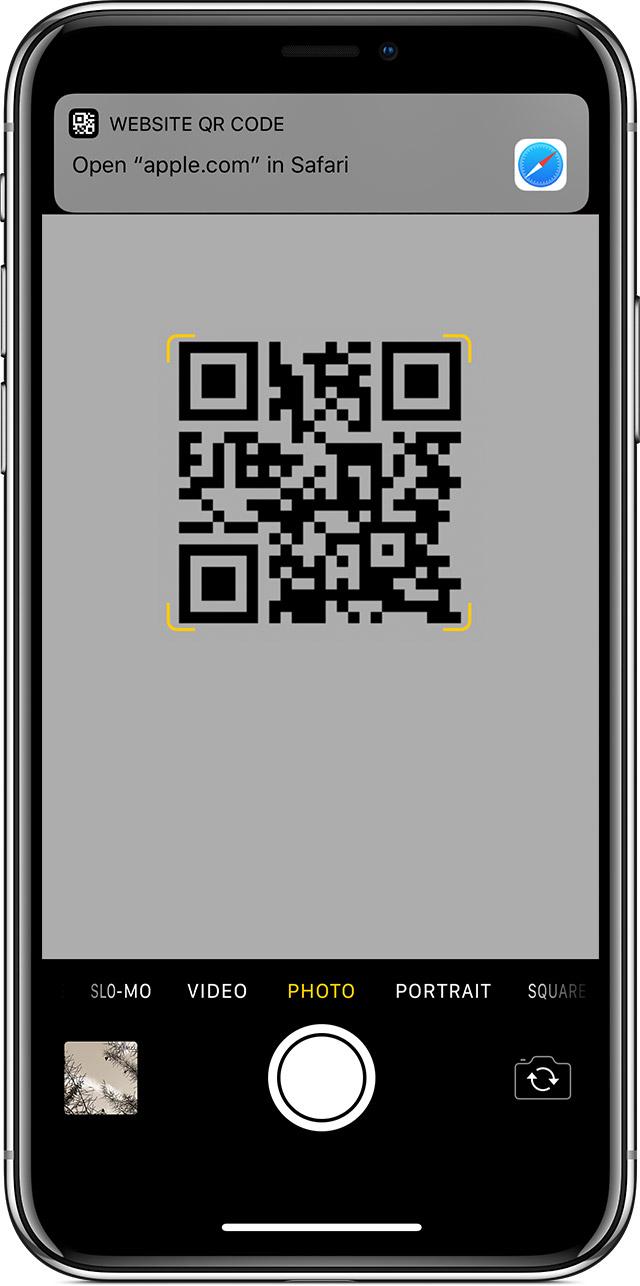
How to scan with iPhone


iPhones do this natively through the camera app. A drop down will show up with the link of the QR Code.


Can my Android phone or tablet scan QR Codes natively?

The best way to figure out if your device can read QR Codes is to open your Camera app and point it steady for 2-3 seconds towards the QR Code you want to scan. Whenever scanning is enabled, a notification will appear. If nothing happens, you may have to go to your Settings app and enable QR Code scanning. If QR Codes isn’t an option in your settings, your device unfortunately can’t scan QR Codes natively. But don’t worry, this only means you’ll have to download a third-party QR Code reader app. (Keep on reading for our top app recommendations!)

How do I scan QR Codes with my camera on Android OS?

Step 1
Step 2
Step 3

Third-party QR Code reader apps we recommend

Our personal favorite at QRCG, it’s a basic, no-fuss app that reads pretty much every type of QR Code you put in front of it.
Currently with 291,000+ reviews, this QR Code reader app is the most popular on Google Play Store.
This app is one of the top-rated on Google Play Store and, as the name suggests, includes a built-in flashlight for scanning QR Codes in a poorly lit setting.